AMD Adrenalin Driver Bug: Zero RPM Fan Issue Triggers Unexpected GPU Heating
The latest AMD Adrenalin graphics driver (version 26.5.1) has been causing headaches for some GPU owners. According to posts on Reddit, a fan control feature known as Zero RPM is malfunctioning under specific conditions, leading to higher-than-normal GPU temperatures. This issue appears when the monitor goes to sleep or is turned off. Let's dive into the details with a Q&A format.
What exactly is the Zero RPM feature on AMD GPUs?
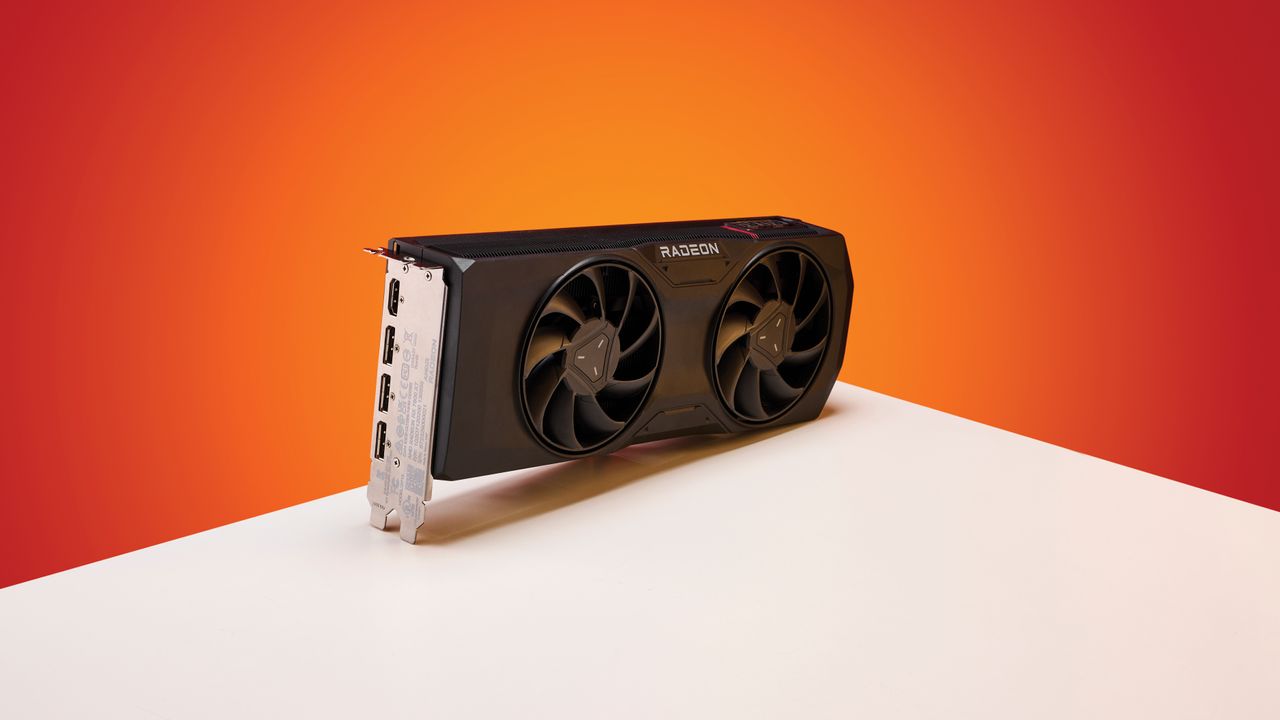
Zero RPM is a fan-stop technology designed to silence AMD graphics cards when they are under light load or idle. When the GPU temperature stays below a certain threshold (typically around 50-60°C based on the model), the fans completely stop spinning. This reduces noise and improves the user experience during everyday tasks like web browsing or watching videos. Once the GPU heats up from gaming or rendering, the fans kick back in automatically. However, the feature relies on driver-level control to monitor both temperature and power state, and a bug can cause it to behave incorrectly.
Which driver version is reportedly causing the problem?
Reddit users point to AMD Adrenalin 26.5.1 as the culprit. This specific release of the driver package appears to contain a bug that affects the Zero RPM logic. While AMD has released several driver updates before and after 26.5.1, the issue seems isolated to this version. Some users have noted that rolling back to a previous driver (like 24.12.1) resolves the fan malfunction, suggesting the bug was introduced with 26.5.1. It is important to note that not all users experience the problem, which may indicate dependency on specific GPU models or system configurations.
What triggers the fan malfunction according to user reports?
The problem occurs when the monitor is put to sleep or turned off while the GPU is idle. Normally, Zero RPM would keep the fans off as long as temperatures remain low. After the screen wakes up, users find that the GPU fans remain stopped even if the temperature has risen significantly. In some cases, the fans never restart until a manual intervention (e.g., restarting the system or toggling the Zero RPM setting). Reddit threads describe scenarios where users return to their PC after a break, open monitoring software, and see GPU temperatures exceeding 70°C with fans at 0 RPM. This unexpected heating can reduce component lifespan if left unchecked.
How does the malfunction affect GPU temperatures?
Without active cooling, the GPU temperature can climb much higher than normal. While idle temperatures with functional Zero RPM typically hover around 35-50°C (depending on ambient conditions), a stuck fan can push idle temps to 70-80°C or more. Under a sustained workload like gaming, the temperature would rapidly exceed safe limits if the fan fails to spin. However, most users report that running a 3D application forces the fan to start eventually, preventing permanent damage. But the transient spikes during desktop use are concerning—some have observed a delta of +20-30°C compared to normal idle behavior.
Are there any workarounds or fixes available?
Yes, several temporary workarounds exist while waiting for an official fix from AMD:
- Disable Zero RPM: In the Adrenalin software, go to Performance > Tuning > Fan Control and uncheck the "Zero RPM" box. This forces the fans to always spin at a low speed.
- Roll back the driver: Uninstall Adrenalin 26.5.1 and reinstall a previous stable version (e.g., 24.12.1). This is the most reliable method.
- Use custom fan curves: Override automatic fan control and set a minimum fan speed of 20% or higher.
- Keep monitor awake: Change Windows power settings to prevent the screen from sleeping while idle.
AMD has not yet released an official hotfix, but the issue is acknowledged in community forums. Users should monitor AMD's driver release notes for a future update.
Is this issue widespread, and which GPUs are affected?
Based on Reddit threads and comments, the problem appears to affect a subset of users running Radeon RX 6000 and 7000 series cards with the Adrenalin 26.5.1 driver. Not every owner reports the bug, which suggests it may depend on secondary factors like monitor type, sleep mode configuration, or even the specific GPU BIOS. The highest concentration of reports comes from RX 6700 XT and RX 7900 XT owners, but it has been seen on lower-end models as well. Because the issue is triggered by monitor sleep cycles, users who rarely put their display to sleep may never encounter it. Despite not being universal, the risk of thermal damage makes it worth checking your system if you've updated recently.
Related Articles
- Exploring the GPD BOX: A Panther Lake Mini PC with Cutting-Edge PCIe 5.0 Connectivity
- Paramount Rebooting the Danger Zone: Top Gun Returns to Theaters for 40th Anniversary
- 8 Game-Changing Insights on NVIDIA and Ineffable Intelligence's Reinforcement Learning Infrastructure Collaboration
- AMD Unveils Ryzen AI Halo Mini PC: A Powerhouse for AI Developers Starting at $3,999
- Banana Pi Unveils Ultra-Compact RISC-V SBC with 60 TOPS AI Capabilities
- Why the Dual-CCD X3D Dream Never Needed to Become Reality
- 10 Things You Need to Know About AI's Impact on CPU Innovation
- Linux Kernel 7.1 Begins Removal of 1990s AMD Elan SoC Drivers