How to Experience Skywind: Transforming Skyrim into Morrowind
By
Introduction
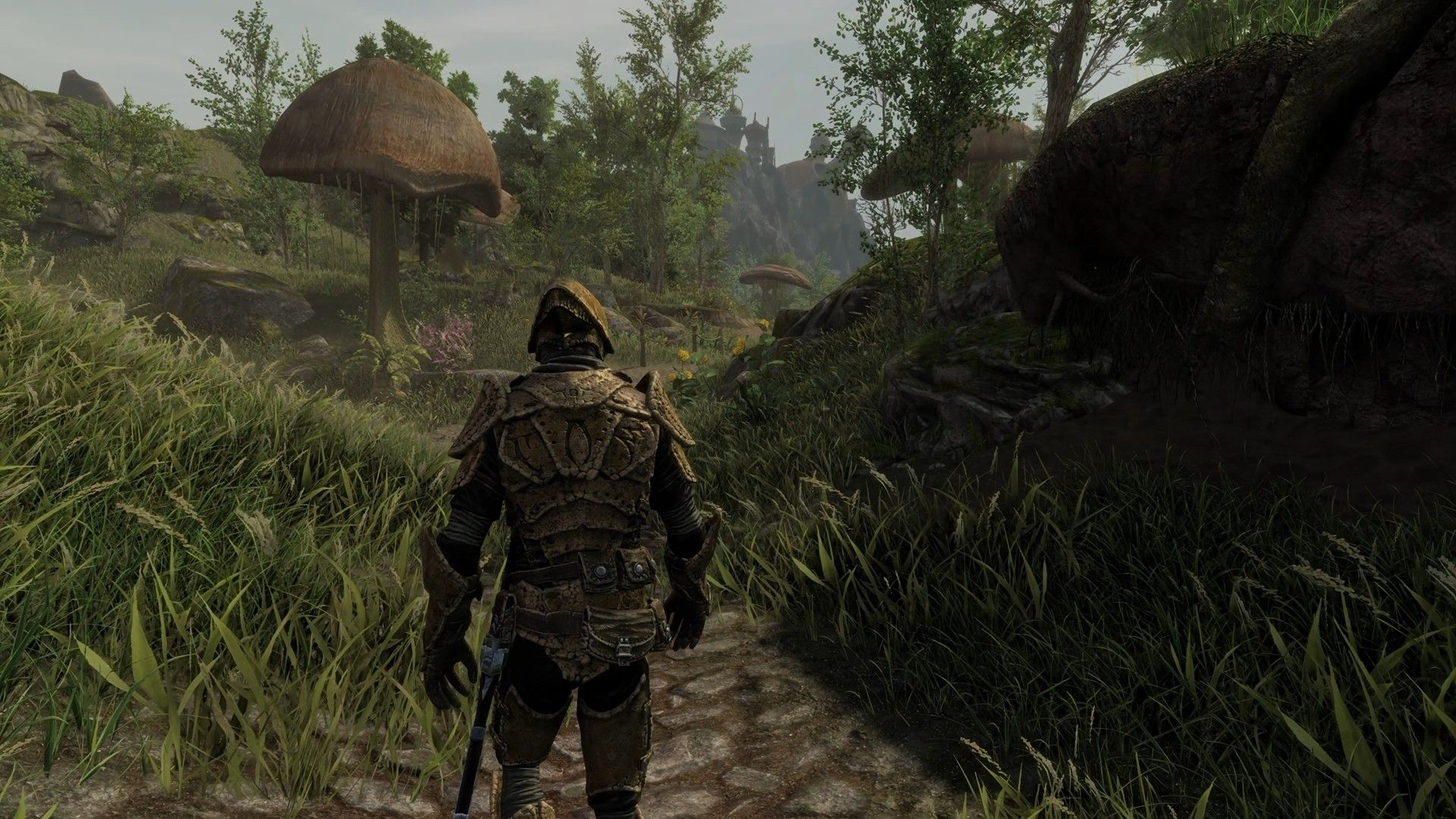
If you've ever dreamed of exploring the alien landscapes of The Elder Scrolls III: Morrowind with the polished mechanics and graphics of The Elder Scrolls V: Skyrim, then the Skywind mod is exactly what you need. This ambitious total conversion project has been under development since 2012, rebuilding every asset, quest, and environment of Morrowind within Skyrim's engine. After a two-year quiet period, the team recently dropped a massive update video showcasing incredible progress. This guide will walk you through everything you need to know to follow Skywind's journey, understand its scope, and prepare to experience one of the most impressive mod projects in gaming history.
What You Need
- A copy of Skyrim (preferably the Special Edition for optimal compatibility)
- Adequate PC hardware – a mid-range gaming computer capable of running Skyrim with heavy mods
- Steam or GOG account for game installation and updates
- Basic modding knowledge (familiarity with Vortex, Mod Organizer 2, or manual installation)
- Internet connection to download the mod and watch development updates
- Patience – Skywind is still in active development and not yet released
Step-by-Step Guide
- Understand the Project
Skywind is a total conversion mod that recreates the entire province of Vvardenfell from Morrowind inside the Skyrim engine. This means new landscapes, quests, characters, creatures, and items – all redesigned with modern visuals while staying true to the original game. The mod is a community effort by the Skywind Team, who have been working for over a decade to bring this vision to life. As noted in their latest update video (released after a two-year silence), the project is more polished than ever. - Watch the Latest Update Video
The development team recently released a massive progress video – the first major one in two years. It highlights new environments, revamped armor and weapons, improved character models, and sweeping landscape shots that show how far the mod has come. You can find the video on the official Skywind YouTube channel (search for “Skywind 2024 Update”). Watching it gives you a clear picture of the mod's current state and the dedication behind it. This is also the best way to stay excited and informed about upcoming releases. - Visit the Official Website and Forums
For the most accurate and up-to-date information, go to skywindproject.com. There you’ll find team biographies, lore notes, development blogs, and FAQs. The forums are a great place to ask questions, offer feedback, or even volunteer as a contributor. The team regularly posts updates about milestones, recruitment needs, and beta access opportunities. - Learn About the Development History
Skywind has been in the works since 2012, and Polygon first covered it back in 2014. Understanding its timeline helps you appreciate the sheer amount of work involved. The mod is built from scratch using Skyrim's Creation Kit, with custom assets, scripts, and voice acting. The recent update after a two-year hiatus indicates a shift toward finalizing assets and testing. Knowing the history will make you more patient and supportive as the team pushes toward completion. - Prepare Your Skyrim Installation
Even though the mod isn't released yet, you can get your game ready. Install Skyrim Special Edition (or Legendary Edition if you prefer older mods). Ensure your drivers are up to date, and free up at least 20 GB of storage space for the final mod. Consider setting up a separate profile in your mod manager specifically for Skywind to avoid conflicts with other mods. This step will save you time when the mod finally becomes available. - Stay Updated on Release News
The best way to know when Skywind drops is to follow the team on social media (Twitter, Discord) and subscribe to their newsletter via the website. The latest update video mentioned that they are entering a “polish and bug-fix” phase, meaning a public release may be closer than ever. Do not trust unofficial download links – the mod will be distributed through the official channels to ensure safety and quality. - Support the Project if You Can
While the Skywind team does not accept donations (they want to avoid legal complications with Bethesda), you can support them by spreading the word, creating fan art, or even applying to join the development team if you have skills in 3D modeling, scripting, voice acting, or level design. Their latest video specifically thanked the community for patience and encouraged new contributors to step forward.
Tips
- Be patient: Large total conversion mods take years. Skywind has been in development since 2012, but the latest update shows amazing progress. Rushing the team would only lead to bugs.
- Check system requirements early: Morrowind's original map may be smaller, but Skywind's high-quality assets demand decent hardware. Ensure your PC meets Skyrim Special Edition’s requirements at least.
- Explore the lore: The team has added new lore-friendly details. Reading in-game books from both Morrowind and Skyrim will enrich your experience.
- Use mod managers: When Skywind releases, use Mod Organizer 2 or Vortex – these make it easy to enable/disable the mod without messing up your base game.
- Join the community: The forums and Discord are full of passionate fans who can answer questions and share updates. Plus, you might catch early beta testing calls.
- Back up your saves: Skywind will likely require a new game. Backing up your existing Skyrim saves is always a good practice before installing massive mods.
Tags:
Related Articles
- Stack Overflow for Teams: Unlock Your Team's Collective Knowledge
- Apple Q2 2026 Earnings Call: How to Tune In and What to Expect
- Meta's BOxCrete: Revolutionizing U.S. Concrete Mix Design with AI
- Microsoft Named Leader in API Management as AI Demands New Governance
- React Native 0.82: A Milestone Release for the New Architecture
- 10 Key Insights from Microsoft's Leader Recognition in IDC MarketScape for API Management 2026
- 7 Key Facts About the Splatoon Raiders Preorder Deal for Switch 2
- Design Gap Exposed: Everyday Products Work, But Few Deliver Real Satisfaction